Prepare Your Account for a Windows Setup
These steps must be done on your existing computer before you configure your Cisco laptop
- Click this link: https://windows-auth.cisco.com
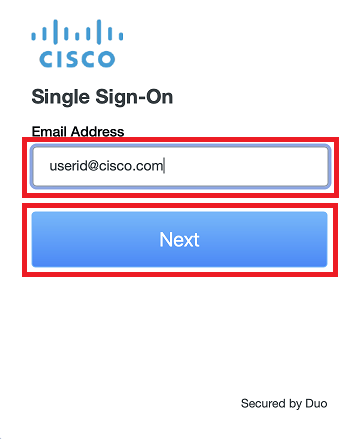
- Enter your Cisco email address click Next
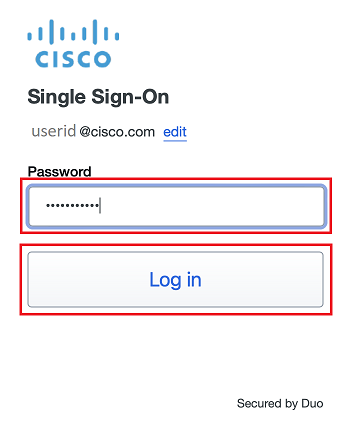
- Enter your Cisco temporary password click Log in
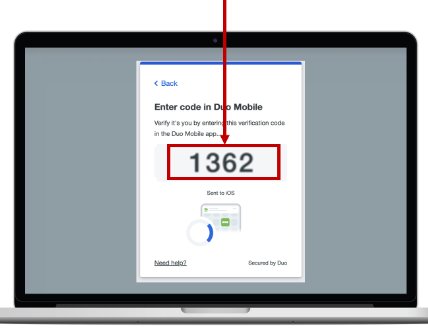
- A Duo Verified Push code will pop up on your Cisco device
- Note: If you are unable to use Duo Mobile, click here
- Verify it is you logging into your Duo app. Did you initiate this push?
- Note: you might have to scroll down to see the verification code prompt
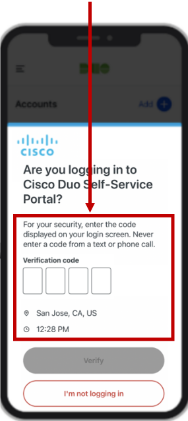
- Enter the verification code when prompted
- Only use the code provided within the Duo login prompt from your Cisco device
- NEVER enter a code provided by a third-party, including:
- The Cisco help desk
- Text message (SMS)
- A phone call or email

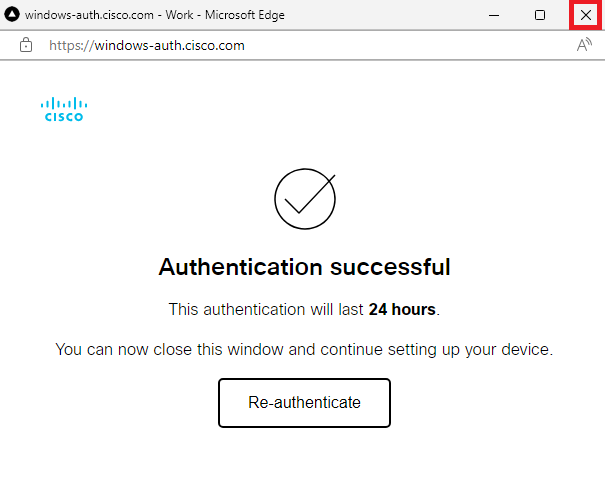
- Close the Authentication successful window